Ever wondered how browsers render a web page internally after you hit enter? It takes less than a second, but your browser is actually performing a massive engineering feat. It transforms raw, messy code into a beautiful, interactive experience using a process called the Critical Rendering Path.
At WeBlogTrips, we want you to understand the “magic” behind your screen. Understanding how browsers render a web page internally is essential for any developer who wants to build sites that feel instant and pass Google’s strict performance tests.
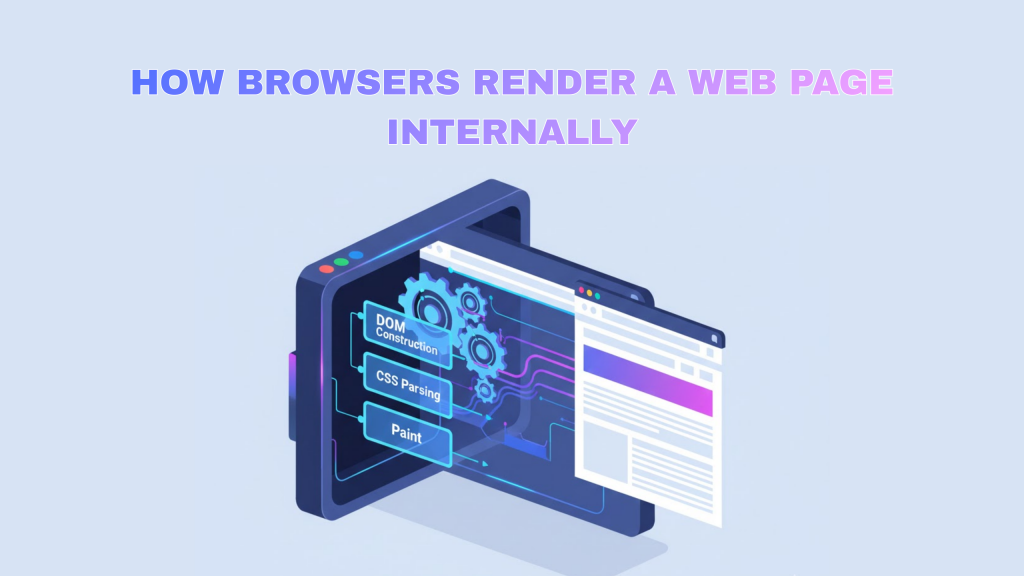
The Rendering Pipeline: How Browsers Render a Web Page Internally
| Step | Phase Name | What Happens Internally | Impact on Speed |
| 1 | Parsing | HTML and CSS are turned into Trees | Critical |
| 2 | Tree Building | DOM and CSSOM are combined | High |
| 3 | Layout | Geometric positions are calculated | Very High |
| 4 | Painting | Pixels are drawn on the screen | High |
| 5 | Compositing | Layers are merged by the GPU | Medium |
1. How Browsers Render a Web Page Internally: Building the DOM and CSSOM
The first thing that happens in how browsers render a web page internally is parsing. The browser takes the raw bytes of your HTML and turns them into the Document Object Model (DOM).
Simultaneously, it reads your stylesheets to build the CSS Object Model (CSSOM). This is a vital part of how browsers render a web page internally because, unlike HTML, CSS is “render-blocking.” The browser refuses to show anything until it knows exactly how every element should be styled.
2. How Browsers Render a Web Page Internally: Creating the Render Tree
Once the DOM and CSSOM are ready, the browser merges them into the Render Tree. In the context of how browsers render a web page internally, the Render Tree only includes the parts of the page that are actually visible.
For example, if an element has display: none;, it is excluded from the Render Tree. This is a key step in how browsers render a web page internally because it prevents the browser from wasting resources on hidden content.
3. How Browsers Render a Web Page Internally: Layout and Painting
Now comes the “Math” phase. During Layout (also called reflow), the browser calculates the exact coordinates and size of every box on your screen based on the device viewport.
Finally, during Painting, the browser fills in the pixels with colors, shadows, and images. Understanding how browsers render a web page internally at this stage is crucial for avoiding “jank” (stuttering) during animations.
Frequently Asked Questions (FAQ)
1. Does JavaScript stop the rendering process?
Yes. By default, when a browser sees a <script> tag, it stops everything to download and run it. This is a major hurdle in how browsers render a web page internally. You can fix this by using async or defer attributes to let the parsing continue.
2. Why is “Layout” the slowest part?
Layout is expensive because it is recursive. If you change the width of a small box at the top of your page, the browser might have to recalculate the position of every single element below it. This is often how browsers render a web page internally when you see a sudden “shift” in content.
3. Can rendering cause an Apple Security Warning?
If your rendering process triggers the download of an insecure script or font from a non-HTTPS source, you might see an Apple Security Warning on your iPhone. Always serve all assets over a secure connection to ensure the process of how browsers render a web page internally completes safely.
Final Verdict: How Browsers Render a Web Page Internally
Mastering the knowledge of how browsers render a web page internally allows you to write “browser-friendly” code. To keep your site fast:
- Minimize DOM depth to speed up parsing.
- Optimize CSS to prevent render-blocking delays.
- Avoid Layout Thrashing by making all your style changes at once.
By optimizing how browsers render a web page internally, you ensure your users have the smoothest experience possible.
More From Weblogtrips
- Why Your Website Is Slow and How to Fix It: See how layout shifts slow down your site.
- REST API vs GraphQL Explained for Beginners: APIs are where most CORS errors live.
- HTML vs HTML5: What’s the Real Difference?: The foundation that holds your CSS.
- Frontend vs Backend vs Full Stack 2026 Guide: Why layout skills are vital for frontend developers.
- Apple iPhone Security Warning Guide: Keeping your CSS-heavy site safe.
- What Happens When You Type a URL in a Browser: How the browser parses HTML5 code.
External Links
- MDN: How Browsers Work: The gold standard for internal browser documentation.
- Google Developers: Rendering Performance: How to optimize the pixel pipeline.
- HTML5 Rocks: How Browsers Work: A classic, deep-dive technical paper.