If you find programming terms confusing, JavaScript Closures likely sit at the top of your list. Developers often describe them using complex jargon like “lexical environments” or “execution contexts.” However, once you strip away the big words, a closure is simply a function that has a memory.
At WeBlogTrips, we love making the hard stuff easy. Therefore, we wrote this guide to clarify JavaScript Closures using simple analogies, real code, and 2026 best practices. Let’s see why your functions never truly forget where they came from.
The Quick Analogy: JavaScript Closures as a Backpack
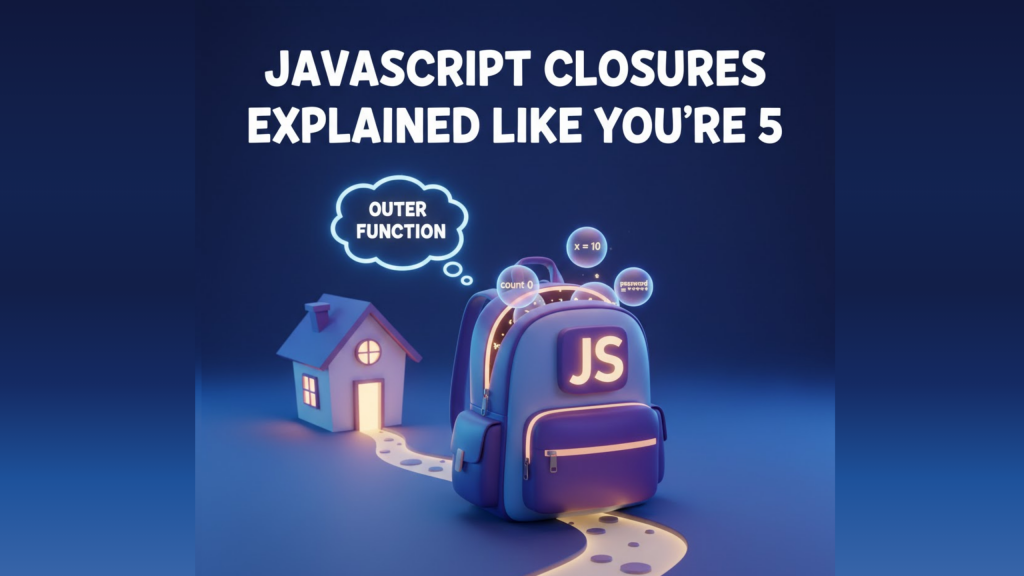
Imagine you are a traveler. Before you leave your house (the Outer Function), you pack a water bottle into your backpack (the Variable). Even after you walk out the door and your house is far away, you still have that water bottle with you.
In code, JavaScript Closures act exactly like that backpack. The function “carries” its variables with it, even after the place where those variables were born has finished running.
1. JavaScript Closures Remember Their Birthplace
A closure occurs whenever you define a function inside another function. The inner function automatically gains access to everything inside its parent’s scope. Because JavaScript uses “Lexical Scoping,” the inner function remembers these variables forever.
Even after the outer function stops executing, the inner function keeps those variables alive in memory. This persistent memory is what we call JavaScript Closures.
2. JavaScript Closures Create Private Data
One of the most powerful uses for JavaScript Closures is data privacy. Because the variables are trapped inside the closure, outside code cannot see or touch them.
For example, imagine a bank account where only a specific function can change the balance. By using JavaScript Closures, you protect that balance from accidental changes elsewhere in your app. This makes your code significantly more secure and less prone to bugs.
3. JavaScript Closures Power Modern Frameworks
If you use React or Vue in 2026, you are already using JavaScript Closures every day. Hooks like useState rely entirely on closures to “remember” your data between different renders of a component.
Without JavaScript Closures, every time your component refreshed, it would forget everything. Therefore, closures are the silent engine that makes modern, interactive websites possible.
Frequently Asked Questions (FAQ)
1. Do JavaScript Closures slow down my website?
Generally, no. Modern engines optimize them very well. However, because JavaScript Closures keep variables in memory, creating thousands of them unnecessarily can lead to higher memory usage.
2. Can I “delete” a closure?
You cannot manually delete a closure. However, once you stop using the function that holds the closure, JavaScript’s Garbage Collector will eventually clean up the memory for you.
3. Why does my phone show an Apple Security Warning?
If a closure in your code attempts to access a protected mobile feature (like your location) without a secure HTTPS connection, you might trigger an Apple Security Warning on your iPhone. Always ensure your data-handling functions are secure and authorized.
Final Verdict: JavaScript Closures
To summarize the magic of JavaScript Closures:
- They allow functions to “remember” variables from their parent scope.
- They provide a way to create private, secure data.
- They are essential for state management in React and other modern tools.
By mastering JavaScript Closures, you move from a beginner who “makes things work” to a professional who “understands how things work.”
More From Weblogtrips
- Why JavaScript Is Single-Threaded: How the engine manages memory and execution.
- Why Your Website Is Slow and How to Fix It: CDNs are the #1 fix for global slowness.
- let vs var vs const Explained with Real Examples: Why block scope is the best partner for closures.
- REST API vs GraphQL Explained for Beginners: APIs are where most CORS errors live.
- Best Website Hosting 2026: Find hosts with integrated CDN features.
- HTML vs HTML5: What’s the Real Difference?: The foundation that holds your CSS.
- What Happens When You Type a URL in a Browser: Where JavaScript begins its execution.
- Frontend vs Backend vs Full Stack 2026 Guide: Why React mastery is essential for frontend roles.
- Apple iPhone Security Warning Guide: Keeping your data-handling functions safe.
External Links
- MDN: Closures: The official, in-depth technical documentation.
- W3Schools: JavaScript Closures: Simple code examples for daily practice.
- JavaScript.info: Closure: A high-quality visual guide to lexical environments.