
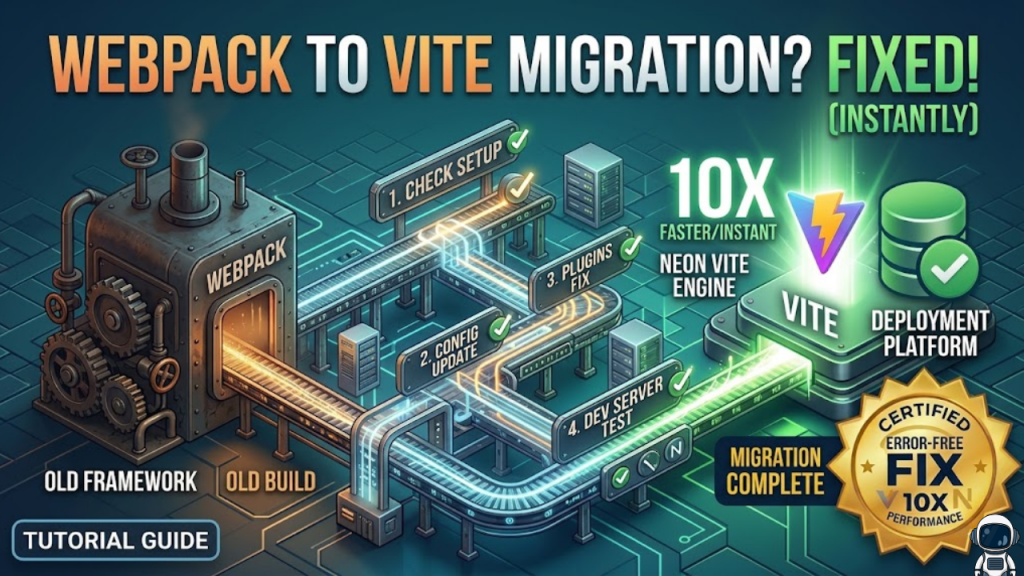
Why migrate to Vite in 2026?
The difference is fundamental. Webpack is a bundler that processes your entire application before serving it, which leads to slow startups as your project grows. Vite is a native ESM-based tool that serves your source code directly to the browser on demand. In 2026, Vite’s dev server starts in under 1.5 seconds, and Hot Module Replacement (HMR) stays near-instant regardless of project size.
While Webpack remains powerful for complex legacy edge cases, Vite has become the standard for modern, high-speed development.
The 3-Phase Migration Blueprint
To avoid “breaking everything,” you must approach the migration in stages rather than a single “big bang” change.
Phase 1: Preparation and Environment
Don’t delete your Webpack config yet. Run them in parallel until you are certain the Vite build is stable.
- Rename Environment Variables: Webpack typically uses
process.env.REACT_APP_. Vite requiresimport.meta.env.VITE_. Use a find-replace script to update these globally. - Relocate
index.html: Move yourindex.htmlfrom the/publicfolder to the project root. In Vite,index.htmlis the entry point, not just a template. - Add the Module Script: Inside your
index.html, add a script tag withtype="module"pointing directly to your main entry file (e.g.,/src/main.tsx).
Phase 2: Dependency and Configuration
Vite handles many things “out of the box” that Webpack requires loaders for.
- CSS Preprocessors: Vite has built-in support for Sass, Less, and Stylus. You only need to install the preprocessor itself (e.g.,
npm install -D sass); no “sass-loader” is required. - Path Aliases: Translate your Webpack
resolve.aliasinto the Viteresolve.aliasformat in yourvite.config.ts. This ensures your@/components/imports don’t break. - Framework Plugins: Install the official Vite plugin for your framework (e.g.,
@vitejs/plugin-reactor@vitejs/plugin-vue) to handle JSX and Fast Refresh.
Phase 3: Testing and CI/CD
- Production Build: Vite uses Rollup for production. Verify that your production build is stable and compare bundle sizes. Vite often produces smaller bundles due to superior tree-shaking.
- CI Pipeline: Update your CI/CD scripts. Teams often see their pipeline time drop from 15 minutes to under 5 minutes after switching to Vite.
Frequently Asked Questions (FAQ)
1. Does Vite support CommonJS?
Vite is ESM-first. While it can “pre-bundle” many CommonJS dependencies using esbuild, some very old or poorly written packages may require the @originjs/vite-plugin-commonjs to work correctly.
2. Why is Vite’s startup so much faster?
Vite uses esbuild (written in Go) to pre-bundle your dependencies and native browser ESM to serve your source code. It only compiles the specific file your browser requests, rather than the entire app.
3. What is “Rolldown” in 2026?
Rolldown is a new Rust-based replacement for Rollup that is becoming the default bundler for Vite. It promises even faster production builds and better compatibility with Webpack-style plugins.
4. Why do I see an Apple Security Warning during migration?
If you use a custom local proxy or self-signed certificates for your new Vite dev server, you may trigger an Apple Security Warning on your iPhone. Always use trusted certificates for local HTTPS.
5. Can I use Vite for Module Federation?
Yes. While Webpack pioneered Module Federation, the vite-plugin-federation now provides a stable way to handle micro-frontends in 2026.
6. Do I still need Babel with Vite?
Usually, no. Vite uses esbuild for transpilation, which is much faster. You only need Babel if you have very specific legacy transformation requirements or use niche experimental decorators.
7. How do I handle static assets like SVGs?
Vite handles assets as URLs by default. If you want to use SVGs as React components, use the vite-plugin-svgr. It replaces the “svg-inline-loader” patterns from Webpack.
8. What is the biggest risk in migrating?
Implicit dependencies. Webpack often “papers over” circular dependencies or non-standard imports. Vite is stricter. You may find architectural issues in your code that Webpack ignored.
Final Verdict: Faster Feedback, Better Code
In 2026, Vite is the ultimate tool for developer happiness. By removing the “rebuild wait time,” you enable your team to experiment and iterate faster. While the migration requires an initial audit of your config, the long-term gains in productivity and CI/CD costs make it the smartest move for any modern web team.
Ready to speed up your workflow? Explore our guide on How to Become a Web Developer in 2026 to see the full modern toolset, or learn how to optimize your production bundles in Critical CSS: How to Inline Styles for Instant Loading.
Authority Resources
- Vite.dev: Guide to Migrating from Webpack – The official documentation for common migration patterns.
- Dev.to: Vite vs. Webpack in 2026 Complete Guide – A deep dive into performance benchmarks and edge cases.
- Hakuna Matata: Why Vite Is Faster Than Webpack – A technical breakdown of esbuild and ESM-based HMR.
- JavaScript Plain English: Webpack vs Vite Migration Stories – Real-world case studies on build time reduction.





