
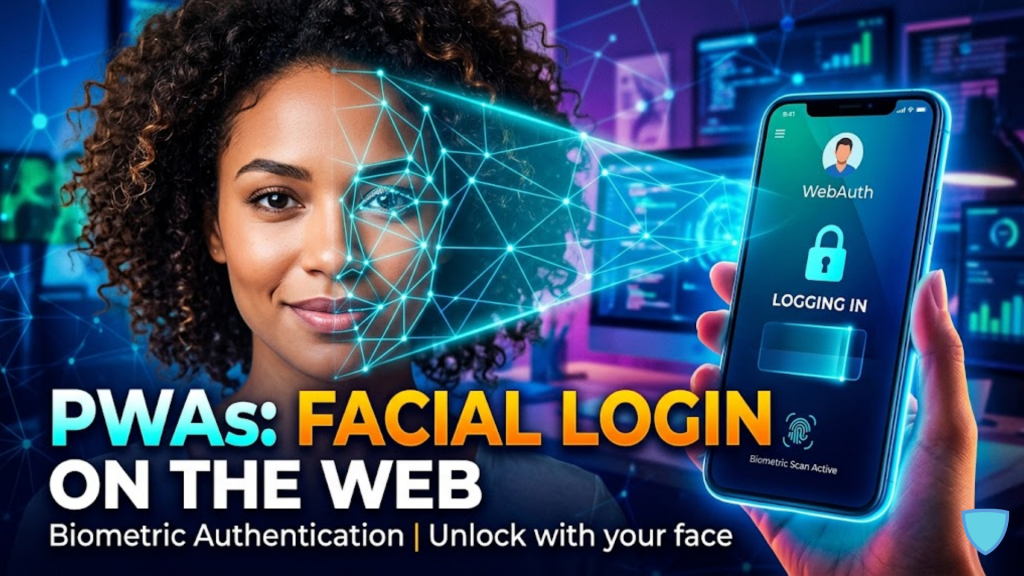
What is Biometric Login for PWAs in 2026?
Biometric login for Progressive Web Apps (PWAs) is a secure, passwordless authentication method that allows users to sign in using their face or fingerprint directly within a mobile browser. In 2026, this technology has reached maturity through the WebAuthn (Web Authentication) API. It enables a “Glance-to-Unlock” experience on iPhones (Face ID) and Android devices without the need for a native app store download.
By leveraging the hardware-backed security of modern smartphones, you can provide a login experience that is as fast as a native app while maintaining the reach of the open web.
The 2026 Standard: WebAuthn vs. Traditional Auth
In 2026, the shift toward Passkeys has made facial recognition the preferred method for high-security transactions.
| Feature | Legacy Password Login | 2026 Biometric PWA Login |
| User Effort | Type email + password | Simple Glance (Face ID) |
| Security Level | Low (Phishable) | Hardware-Backed (Un-phishable) |
| Login Time | ~15 – 30 seconds | < 1 second |
| Phishing Resistance | No | Yes (Domain Bound) |
| Privacy | Data stored on server | Data stays on device |
How to Implement Facial Recognition in 3 Steps
To build a biometric login in 2026, you must utilize the browser’s native Credential Management system.
1. Check for Platform Support
Not all devices have a biometric sensor. First, use the PublicKeyCredential interface to verify if the user’s browser and hardware support platform authenticators (like Face ID).
2. Registration (Creating the Passkey)
During the user’s first login, your PWA will request a new credential. The browser will prompt the user for their face scan. Consequently, the device generates a Public-Private Key Pair. The private key is locked in the device’s Secure Enclave, while the public key is sent to your server.
3. Authentication (The Glance-to-Login)
For future visits, the server sends a “Challenge.” The PWA calls navigator.credentials.get(). The user glances at their phone, the device signs the challenge with the private key, and the server verifies it with the stored public key. Thus, the user is logged in instantly.
Privacy and Safety: The “Secure Enclave”
In 2026, user privacy is a primary concern. It is important to remember that your PWA never sees the user’s face.
- On-Device Processing: The biometric data (the “Face Print”) never leaves the hardware. The browser only receives a mathematical “Yes” or “No” signature from the device’s secure processor.
- Liveness Detection: Modern 2026 sensors use infrared and depth mapping to prevent spoofing via photos or videos, ensuring only a live person can gain access.
Frequently Asked Questions (FAQ)
1. Does Face ID work on Safari PWAs in 2026?
Yes. Apple fully supports WebAuthn for PWAs added to the Home Screen. This allows users to use Face ID or Touch ID for frictionless logins on their favorite web apps.
2. What happens if the face scan fails?
The system will automatically fallback to the device’s Passcode or a secondary authentication method (like a recovery code or traditional password) that you have configured in your app.
3. Is biometric data stored on my server?
No. You only store a Public Key, which is useless without the user’s physical device and their face. This eliminates the risk of “Biometric Identity Theft” from a server-side data breach.
4. Why do I see an Apple Security Warning on my PWA?
If your PWA attempts to use the camera for custom “Face Detection” rather than the official WebAuthn API, or if your site lacks a secure HTTPS connection, you may trigger an Apple Security Warning on your iPhone.
5. Can I use facial recognition for payments?
Yes. By combining the Payment Request API with WebAuthn, you can create a “One-Tap Buy” experience that uses facial recognition to authorize payments securely.
6. What is “Passive Liveness”?
This is a 2026 tech standard where the AI detects if a person is “live” without requiring them to blink or move their head, making the login process even faster.
7. Do I need a native SDK?
No. For web-based facial recognition, you use the standard browser WebAuthn API. However, for advanced use cases like identity document verification (KYC), you might integrate a lightweight 2026 JS library.
8. How does this affect user conversion?
Case studies from 2026 show that switching to biometric login can increase successful login rates by up to 30% compared to traditional password/MFA combinations.
Final Verdict: The End of the Password Form
In 2026, Biometric Login is the gold standard for PWA user experience. By removing the need to remember passwords, you provide a secure, high-end interface that drives revenue and builds deep trust with your mobile audience.
Ready to secure your app? Explore our guide on Converting Your WordPress Site into a PWA or learn about the broader security landscape in Why Passkeys are Replacing Traditional Passwords.
Authority Resources
- Keyless: Privacy and Biometric Compliance in 2026 – Insights into decentralized vs local biometric models.
- Facia: Face Recognition Innovations and Trends for 2026 – Understanding 3D mapping and deepfake detection.
- MobiLoud: What PWAs Can Do on iOS in 2026 – A complete guide to Safari’s PWA and WebAuthn support.
- W3C: Web Authentication API – Level 3 – The official technical specification for 2026 public key credentials.





