
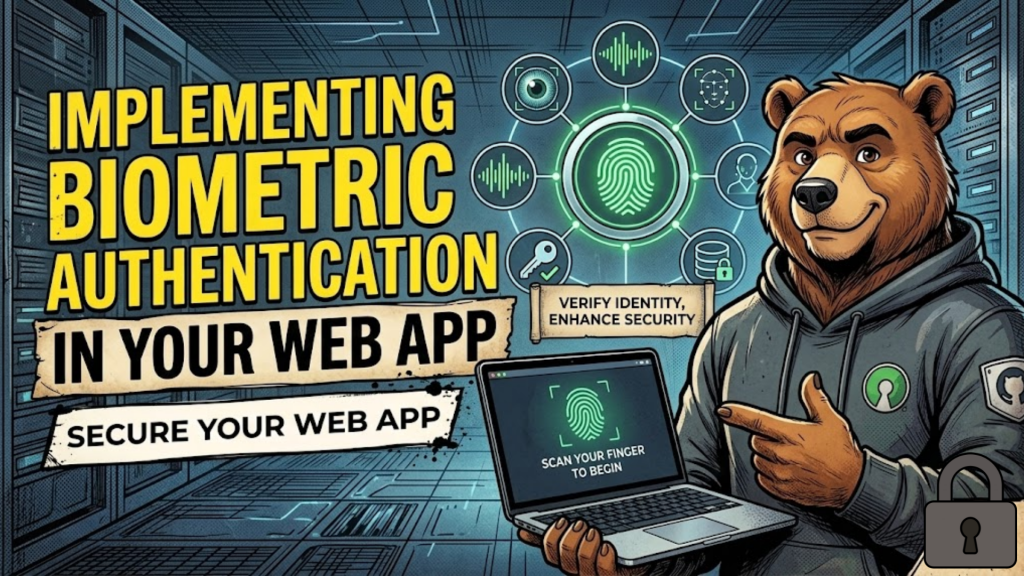
What is Biometric Authentication on the web? Biometric authentication allows users to log in using their physical or behavioral traits, such as a fingerprint, face scan, or iris pattern. In 2026, this is powered by the Web Authentication API (WebAuthn Level 3) and Passkeys. Unlike traditional systems, your server never sees the user’s actual biometric data. Instead, the user’s device uses biometrics locally to unlock a “Private Key” that signs a security challenge from your server.
In 2026, 98% of modern browsers support this flow, making it the most secure and convenient way to verify identity.
The 2026 Standards: WebAuthn vs. Passkeys
While often used interchangeably, it is important to understand the technical split to build a resilient system.
| Concept | Definition | Role in 2026 |
| WebAuthn | The W3C technical API standard. | The “Blueprint” that allows the browser to talk to the hardware. |
| Passkey | The digital credential (private key). | The “Key” stored in the user’s secure enclave or cloud keychain. |
| Authenticator | The hardware (Phone, YubiKey). | The “Lock” that requires a biometric or PIN to open. |
| Relying Party | Your Web Application. | The “Guardian” that verifies the signed response. |
4-Step Implementation Roadmap
In 2026, we use “Conditional UI” (Autofill) to make biometrics feel like a natural part of the login screen.
1. Feature Detection
Before prompting the user, check if their device actually supports platform biometrics (like FaceID or Windows Hello).
JavaScript
if (window.PublicKeyCredential &&
    await PublicKeyCredential.isUserVerifyingPlatformAuthenticatorAvailable()) {
    // Show "Sign in with Face/Fingerprint" button
}
2. Registration (The “Ceremony”)
Your server generates a Random Challenge. The browser then calls navigator.credentials.create(). The user provides their biometric, and the device generates a Public Key which you store in your database.
3. Authentication (The Login)
When the user returns, your server sends a new challenge. The browser calls navigator.credentials.get(). The user scans their face/finger, the device signs the challenge with the Private Key, and your server verifies the signature using the stored public key.
4. Implementation with Libraries
Don’t write the cryptography yourself in 2026. Use established libraries like SimpleWebAuthn (Node.js/TypeScript) or MojoAuth to handle the heavy lifting and edge cases.
Security and Privacy: The Secure Enclave
A common user fear is: “Is the website stealing my fingerprint?”
- The Answer: No. Biometric data never leaves the device. It is stored in a “Secure Enclave” or “Trusted Platform Module” (TPM) that is physically separated from the rest of the phone’s hardware. Your web app only receives a cryptographic “thumbprint” that proves the user is present.
Frequently Asked Questions (FAQ)
1. What happens if a user loses their device?
In 2026, Passkeys are synced via iCloud Keychain, Google Password Manager, or Microsoft Account. If a user gets a new phone, their passkey is automatically available, making recovery much easier than old-school 2FA.
2. Is this more secure than a password?
Yes. Because it uses Public-Key Cryptography, there is no “shared secret” (password) for a hacker to steal from your database. Even if your server is breached, the attacker only gets public keys, which are useless without the user’s physical device and biometric.
3. Can I use biometrics for multi-factor authentication (MFA)?
Yes. WebAuthn is inherently multi-factor: it proves Possession (you have the device) and Inherence (you are you, via biometrics).
4. Why do I see an Apple Security Warning on my passkey app?
If your implementation fails to use a stable Relying Party ID (RP ID) or uses an unencrypted (HTTP) connection, you may trigger an Apple Security Warning on your iPhone.
5. What is the “WebAuthn Level 3” update in 2026?
The Level 3 standard, finalized in January 2026, improves Attestation (verifying the device is genuine) and enhances privacy by preventing websites from tracking users across different domains using their authenticator.
6. Do I still need a password fallback?
For now, yes. You should support a “Hybrid Rollout” where users can still use a password or “Magic Link” if they are on a legacy device that doesn’t support biometrics.
7. What is “Conditional UI”?
This is a 2026 feature where the browser’s native Autofill menu suggests a passkey directly in the username field, allowing a user to log in with a single tap.
8. What is the PRF Extension?
The Pseudo-Random Function (PRF) extension in WebAuthn Level 3 allows you to derive a unique encryption key from a passkey. This is perfect for End-to-End Encryption (E2EE) apps that need to lock data with a biometric key.
Final Verdict: Convenience is the Best Security
In 2026, Biometric Authentication is no longer a luxury; it is the most effective way to protect your users while making their lives easier. By adopting Passkeys today, you remove the “Password Burden” and build a foundation of trust that will last for years.
Ready to secure your app? Explore our guide on Zero-Trust Architecture for Web Developers or learn how to make your login forms fully accessible in WCAG 2.2 Compliant Forms.
Authority Resources
- SimpleWebAuthn: Advanced Passkeys Documentation – The best technical library for 2026 implementation.
- W3C: Web Authentication Level 3 (Candidate Recommendation 2026) – The official technical specification.
- Microsoft Learn: Enable WebAuthn Passkeys in ASP.NET – A deep dive into server-side passkey orchestration.
- SuperTokens: Biometric Web Authentication Guide – Understanding the cryptographic handshake and user education.





