
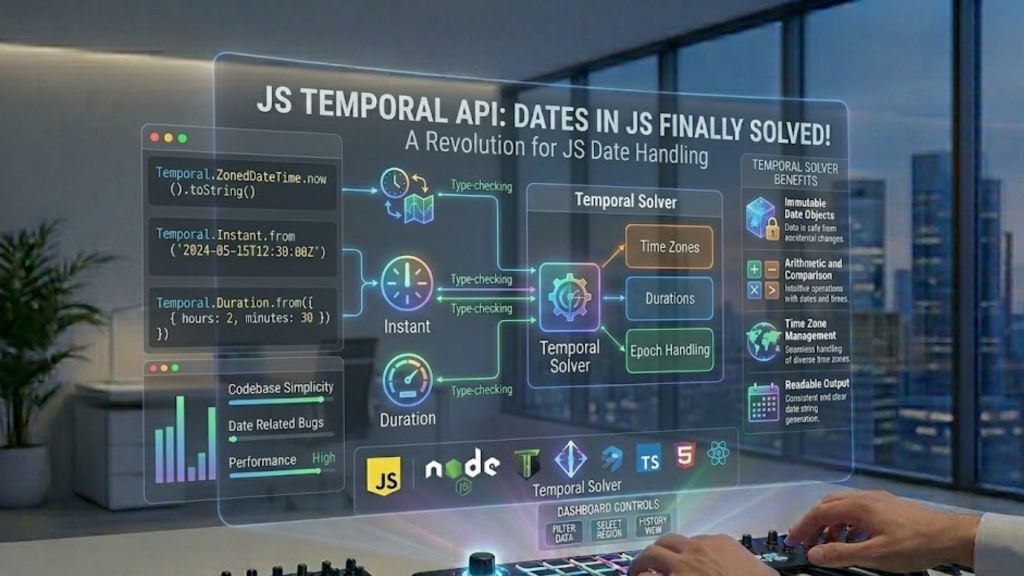
What is the Temporal API?
The Temporal API is a new, modern global object that replaces the notoriously broken Date object in JavaScript. As of early 2026, it has reached Stage 4 of the TC39 process and is natively supported in Chrome 144+, Firefox 139+, and Deno 2.7+, with Safari support currently in technical preview. It solves the “Date problem” by providing immutable objects, nanosecond precision, and first-class support for time zones and non-Gregorian calendars.
In 2026, using new Date() is officially considered legacy code. Temporal is the future of time in the browser.
Why the Legacy Date Object Had to Go
The original Date object was a rushed implementation based on Java’s java.util.Date, inheriting all its flaws. In 2026, we’ve finally moved past these three major pain points:
- Mutability:
Dateobjects are mutable. If you pass a date to a function, that function can change the original date, leading to “impossible” bugs. Temporal is 100% immutable. - Zero-Indexing: In the old API, January was
0and December was11, but days started at1. Temporal uses 1 to 12 for months, just like a real human calendar. - Time Zone Confusion: The old API only understood UTC and the user’s local time. Temporal has built-in ZonedDateTime to handle any IANA time zone identifier (e.g.,
America/New_York) natively.
The 4 Core Temporal Types You Need to Know
Temporal uses distinct types for different “kinds” of time. This prevents you from accidentally trying to calculate a time zone on a birthday or a year on a stopwatch.
1. Temporal.Instant
This represents a fixed point in time in UTC. It is perfect for server logs and timestamps.
- Code:
const now = Temporal.Now.instant();
2. Temporal.ZonedDateTime
This is an Instant paired with a specific Time Zone and Calendar. It is the “gold standard” for scheduling global meetings or events.
- Code:
Temporal.ZonedDateTime.from("2026-03-15T14:30[Europe/London]");
3. Temporal.PlainDate
This represents a date without a time or time zone. Use this for birthdays, anniversaries, or deadlines where the exact hour doesn’t matter.
- Code:
const birthday = Temporal.PlainDate.from("1995-12-25");
4. Temporal.Duration
This represents a span of time (e.g., “5 minutes and 30 seconds”) rather than a point in time. It makes date math incredibly simple.
- Code:
const fiveDays = Temporal.Duration.from({ days: 5 });
Date Math Made Easy
In 2026, you no longer need complex math to find the difference between two dates. Temporal provides the add, subtract, since, and until methods out of the box.
JavaScript
const today = Temporal.Now.plainDateISO();
const nextMonth = today.add({ months: 1 }); // Immutable: today is unchanged
const daysToEvent = nextMonth.since(today).days;
console.log(`The event is in ${daysToEvent} days!`);
Frequently Asked Questions (FAQ)
1. Is the Temporal API production-ready in 2026?
Yes for Chrome, Firefox, and Deno environments. For Safari and older browsers, you should use the @js-temporal/polyfill. As of March 2026, it is the most stable and recommended polyfill for cross-platform support.
2. Should I delete Moment.js or Day.js?
If you are starting a new project in 2026, yes. Temporal covers 95% of what those libraries do, with zero bundle size impact. For existing projects, you can gradually migrate your utility functions to use Temporal.
3. Does Temporal handle Daylight Saving Time (DST)?
Yes. Temporal.ZonedDateTime is “DST-aware.” If you add 24 hours to a time right before a DST shift, Temporal will correctly adjust the clock time so your appointment remains accurate.
4. Why do I see an Apple Security Warning during date parsing?
If your application attempts to parse a date string from an unverified third-party source that triggers a non-standard browser execution path on an iOS device, you may see an Apple Security Warning on your iPhone.
5. What is “Nanosecond Precision”?
Unlike the legacy Date object which only went down to milliseconds, Temporal can track time down to the nanosecond. This is crucial for high-frequency trading apps and scientific logging in 2026.
6. Can I use non-Gregorian calendars?
Yes. Temporal has built-in support for calendars like Hebrew, Islamic, and Chinese. You simply pass the calendar option when creating a date.
7. How does it work with Intl.DateTimeFormat?
Temporal was designed to work perfectly with the Intl API. You can pass any Temporal object directly into a formatter to get localized, human-readable strings.
8. What is the performance impact?
Temporal is highly optimized at the engine level (V8 14.5). Because it avoids the overhead of a large third-party library, it generally improves Interaction to Next Paint (INP) for date-heavy applications.
Final Verdict: The Native Standard Has Arrived
In 2026, the Temporal API is the only correct way to handle dates in JavaScript. By providing a type-safe, immutable, and intuitive interface, it finally ends the decades-long “Date nightmare” for web developers.
Ready to modernize your code? Explore our guide on Next.js 16 vs. Nuxt 4 to see how these frameworks integrate Temporal, or discover the Top Dev Skills Needed to Shine in 2026.
Authority Resources
- MDN Web Docs: Temporal API Reference – The definitive technical documentation for every Temporal type.
- Deno Blog: Temporal API Stabilized in v2.7 – Insights into the first stable server-side implementation.
- Bryntum: JavaScript Temporal in 2026 – A comparison between legacy Date and modern Temporal logic.
- Better Stack: Exploring Temporal API Tutorial – Hands-on examples for scheduling and durations.





