
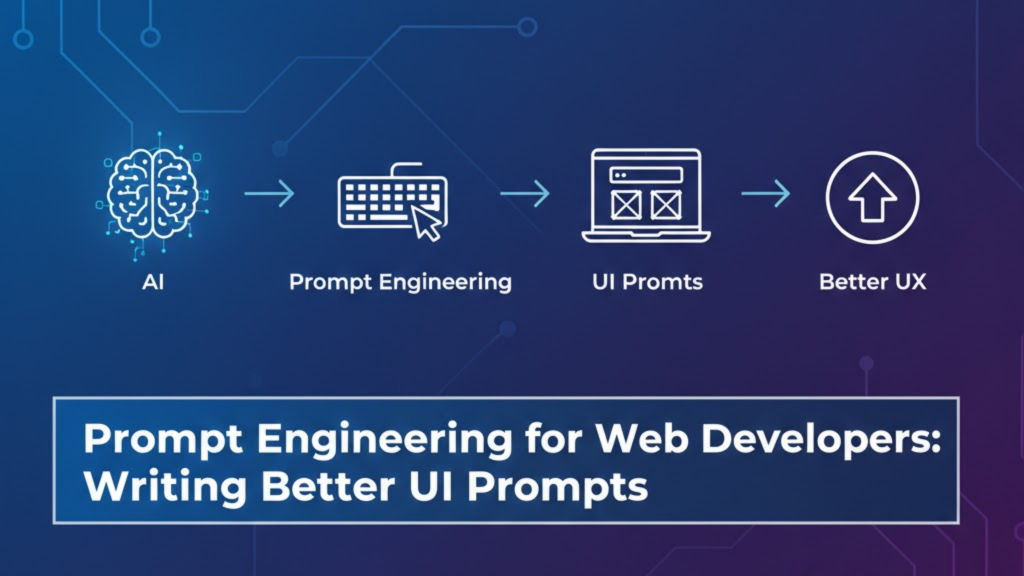
How do you turn a vague idea into a pixel-perfect React component? In 2026, the answer is not just “better AI”, it is Prompt Engineering. For web developers, prompt engineering is the strategic art of translating human intent into precise, machine-readable instructions. By mastering specific UI prompting techniques, developers can reduce their manual coding time by over 50% and shift their focus from “pixel-pushing” to “system orchestration”.
If you are still sending prompts like “make a login page,” you are getting junior-level code. To unlock senior-level architecture, you need to treat your prompts as technical specifications.
Comparison: Basic Prompting vs. Prompt Engineering (2026)
| Feature | Basic Prompting | UI Prompt Engineering (2026) |
| Mental Model | Treating AI as a Chatbot | Treating AI as a Senior Engineer |
| Output Type | Single-file “spaghetti” code | Modular, System-aligned Components |
| Context | Vague (e.g., “Use React”) | Deep (Design tokens, JIRA specs, API docs) |
| Logic | One-shot generation | Chain-of-Thought / Multi-step Logic |
| Workflow | Guess-and-check | Plan-then-Code (Spec-First) |
Why does Prompt Engineering matter for Web Developers in 2026?
The industry has officially moved into the AI-First development era. Consequently, the bottleneck in software production is no longer typing speed, but the clarity of intent.
1. It bridges the “Design-to-Code” gap
Prompt engineering allows you to feed AI a high-level design description (or a Figma link) and receive code that respects your Design System. Instead of manual CSS, you can prompt the AI to use specific Tailwind tokens, ensuring 100% brand consistency across every component.
2. It enables “Agentic Workflows”
In 2026, we use AI Agents that don’t just write code but also run it. Professional prompt engineering allows these agents to perform multi-step tasks—such as creating a responsive product page, hooking it up to a database, and writing the associated unit tests—all from a single, well-structured instruction.
3. It improves code maintainability
When you prompt with Constraints, the AI produces cleaner code. By explicitly forbidding “class components” or requiring “standardized error handling,” you ensure the generated code follows your team’s specific conventions.
3 Advanced Techniques for Better UI Prompts
To write better UI prompts, you must move beyond natural language and into structured specification.
1. Use the “PREP” Framework
The PREP method is a standard in 2026 for high-fidelity UI generation:
- Problem: Define the specific functionality (e.g., “Implement a multi-select filter bar”).
- Requirements: List functional and non-functional needs (e.g., “Must be accessible, mobile-responsive, and use Framer Motion for animations”).
- Example: Provide a code snippet or a reference to an existing component.
- Pattern: Guide the AI toward your preferred patterns (e.g., “Use React Query for data fetching and Zustand for state”).
2. Implement “Chain-of-Thought” Prompting
Instead of asking for the final result immediately, ask the AI to plan first.
- Prompt: “First, outline the information architecture for a complex SaaS dashboard. Then, identify potential UX friction points. Finally, write the React code for the Sidebar component based on that plan”.
- Result: This prevents the AI from making “leaps” in logic that lead to bugs.
3. Role-Based “Junior-Senior” Feedback Loop
Assign the AI a persona. Asking for a review from a “Senior Frontend Architect” will yield comments on performance and scalability, whereas a “Junior Dev” prompt might only focus on basic functionality.
Frequently Asked Questions (FAQ)
1. Is Prompt Engineering a permanent skill for developers?
Yes. Even as models improve, the ability to clearly define system requirements and architectural constraints will remain the core responsibility of a software engineer.
2. What is “Spec-First” development in 2026?
It is a workflow where you spend more time refining a detailed “Prompt Plan” or specification with an AI reasoning model before generating any actual code. This ensures the AI understands the “why” before the “how”.
3. Can I use AI to generate accessibility-compliant UI?
Absolutely. Modern prompt engineering includes Accessibility Guardrails. You can prompt: “Act as an Accessibility Auditor. Review this component for WCAG 2.2 compliance and rewrite the markup to ensure proper screen-reader support”.
4. What are “Prompt Libraries”?
These are shared team repositories containing reusable, tested prompt templates for common tasks like “Setup API Route,” “Generate Unit Test,” or “Create Responsive Layout”.
5. Does the model choice matter for UI prompting?
Yes. In 2026, developers often swap models: Claude 4.5 is preferred for nuanced UI/UX writing, while Gemini 2.0 Pro is favored for large-scale codebase analysis due to its massive context window.
6. Why do I see an Apple Security Warning on my browser?
If your UI prompting tool or AI IDE (like Cursor) attempts to access system files or non-secure local environments without permission, you may trigger an Apple Security Warning on your iPhone or Mac. Always verify the permissions of your AI development tools.
7. What is “Multimodal Prompting”?
This is a 2026 technique where you provide the AI with both a text prompt and an image (like a hand-drawn sketch or a Figma screenshot) to guide the UI generation.
8. How do I prevent “Prompt Drift”?
Use System Prompts or Context Files (like .cursorrules) to “lock in” your team’s rules, ensuring every AI interaction respects your project’s specific coding standards without you having to repeat them.
Final Verdict: Master the Intent, Own the Product
In 2026, Prompt Engineering for Web Developers is about moving from “doing the work” to “directing the work.” By writing better UI prompts, you ensure that AI serves as a powerful force multiplier rather than a source of technical debt.
Ready to level up? Learn how to automate your entire site in our guide on Using LLM APIs to Automate Your Content Pipeline or master the latest dev standards in Why AI-First Development is the New Standard.
External Links
- Prompt Engineering Guide (DAIR.AI) – The industry-standard resource for learning advanced prompting techniques.
- IBM Think: The 2026 Guide to Prompt Engineering – Exploring agentic and multimodal prompting at scale.
- Anthropic: Writing Effective Prompts – Practical tips for using Claude in software development workflows.
- Microsoft: AI Assisted Quality Engineering – Treating prompts as design artifacts and specifications.





