
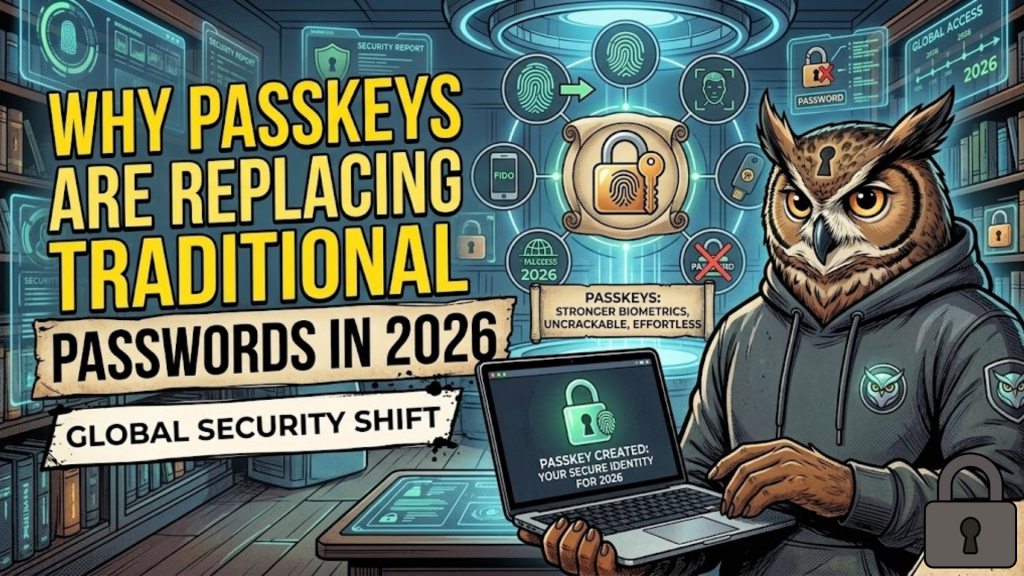
What are passkeys? Passkeys represent a modern, passwordless authentication method built on the FIDO2 and WebAuthn standards. By 2026, they have officially reached a global “tipping point.” Unlike a password, which acts as a “shared secret” that you must remember, a passkey consists of a unique cryptographic key pair. The Public Key resides on the website’s server. Meanwhile, the Private Key never leaves your personal device, such as a phone or laptop. Consequently, your biometrics or a local PIN protect this key at all times.
By replacing human memory with hardware-backed cryptography, passkeys eliminate the “weakest link” in digital security: the human-generated password.
The Security Showdown: Passwords vs. Passkeys (2026)
In 2026, the data confirms that passwords can no longer protect modern enterprises. Passkeys offer a fundamental shift because they change how we prove our identity online.
| Feature | Traditional Passwords | Passkeys (2026 Standard) |
| Authentication Type | Shared Secret (Something you know) | Cryptographic Pair (Something you have) |
| Phishing Resistance | Low (Users often fall for tricks) | 100% Resistant (Bound to domain) |
| Data Breach Risk | High (Database leaks secrets) | Zero (Servers only hold public keys) |
| User Convenience | Low (Forget, Reset, Repeat) | Instant (FaceID or Fingerprint) |
| Cost to Business | High ($70 per reset ticket) | Low (32% reduction in tickets) |
How the “Authentication Ceremony” Works
When you log in with a passkey in 2026, the browser and server perform a secure “handshake.” This process happens in milliseconds.
- The Challenge: First, the server sends a unique, one-time mathematical “challenge” to your browser when you click “Sign In”.
- The Signature: Next, your device prompts you for a biometric scan to unlock your Private Key. Therefore, the device “signs” the challenge using that specific key.
- The Verification: Finally, the browser sends the signed challenge back to the server. The server then uses your Public Key to verify the signature. Because the keys match mathematically, the system grants you access immediately.
Why 2026 is the Year of the Passkey
Three major shifts occurred in early 2026 that finally made passwords obsolete for most professional users:
- Auto-Enabling by Default: Microsoft began auto-enabling passkey prompts across Microsoft 365 environments in March 2026. As a result, millions of workers enrolled their devices, which effectively ended the era of the “optional” passwordless login.
- Synced Ecosystems: Whether you use iCloud Keychain, Google Password Manager, or Bitwarden, your passkeys now sync securely across all authorized devices. Furthermore, end-to-end encryption protects this sync. Thus, losing your phone no longer means losing your account.
- Regulatory Push: New data protection standards (GDPR 2.0 and NIS2) now recognize passkeys as a “Compensating Control.” Consequently, companies using them often receive significant Cyber Insurance discounts because they remain virtually immune to credential stuffing attacks.
Frequently Asked Questions (FAQ)
1. Are passkeys safer than 2FA?
Yes, absolutely. Traditional 2FA methods like SMS codes remain vulnerable to SIM-swapping. However, a passkey provides “Phishing Resistance” because it only works on the exact domain where you created it. For example, if you land on a fake “G0ogle.com,” your device will simply refuse to sign the challenge.
2. What happens if I lose my phone?
You do not need to panic. In 2026, most passkeys function as “Synced Passkeys.” Cloud accounts like Apple, Google, or Microsoft encrypt and back them up. Therefore, you can easily restore them on a new device by logging into your recovery account.
3. Does the website see my fingerprint?
No, it never does. Your biometric data never leaves your device. Instead, the device only uses it locally to “unlock” the private key. Thus, the server only sees a mathematical signature, not your physical features.
4. Why do I see an Apple Security Warning on my passkey login?
If you are using a shared device or an unverified browser extension to manage your keys, you may trigger an Apple Security Warning on your iPhone. Always ensure your device OS is updated to the latest 2026 security patch.
5. Can I still use a password if I want to?
Most sites in 2026 still offer a “Legacy Login” as a backup. However, many high-security platforms like banks are beginning to disable passwords entirely. They do this to protect their users from catastrophic breaches.
6. What is a “Device-Bound” passkey?
Unlike synced passkeys, these tie directly to a physical piece of hardware, like a YubiKey. Governments and high-security firms use them to ensure that no one can ever copy or sync a credential to the cloud.
7. Do passkeys work on legacy Windows 10 machines?
Support remains limited on older hardware. Passkeys work best on Windows 11 (2026 Build), macOS, Android, and iOS. Consequently, older machines may require a hardware security key or a “shim” proxy.
8. What is “Credential Stuffing”?
This attack involves hackers using billions of leaked passwords from old breaches to try and log into other sites. Passkeys completely stop this because no password exists to “stuff.” Instead, every login requires a unique, device-specific signature.
Final Verdict: One Tap to Secure Everything
In 2026, Passkeys transformed security from a burden into a benefit. By eliminating the “Shared Secret,” we made the internet safer for everyone. For developers and businesses, the message is clear: migrate to passkeys today, or you will remain the easiest target for tomorrow’s attackers.
Ready to secure your stack? Explore our guide on Zero-Trust Architecture for Web Developers or learn how to build safer forms in Accessibility First: Building WCAG 2.2 Compliant Forms.
Authority Resources
- FIDO Alliance: Passkeys Overview – The official industry body defining the passwordless standards.
- Microsoft: Passkeys in Windows and Microsoft 365 – Technical implementation for enterprise environments.
- Google Blog: The Beginning of the End of the Password – Insights into consumer adoption and the move to passwordless by default.
- 1Password: Passkeys – The Future is Here – A look at the cross-platform sync ecosystem and user experience.





