
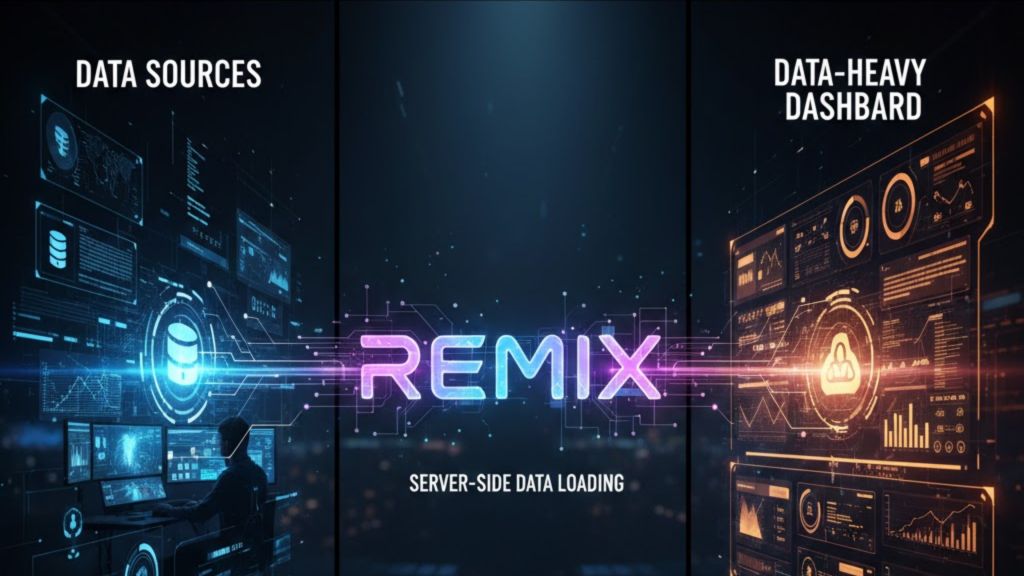
What makes Remix Framework better for dashboards in 2026? The secret lies in its Nested Routing and Parallel Data Loading. In a massive dashboard, you often have a sidebar, a header, and a main content area; each needing different data. Remix loads all this data on the server in parallel before the page even reaches the user. Consequently, your users see a fully populated dashboard instantly, rather than watching a dozen separate loading spinners pop up one by one.
By eliminating “Data Waterfalls,” Remix provides a snappier, more professional experience that is essential for high-stakes business tools.
The Remix Advantage for Complex UIs
In 2026, the performance gap between Remix and traditional SPAs has widened. Remix doesn’t just “fetch” data; it orchestrates it.
| Feature | Traditional React SPA | Remix (2026) |
| Data Fetching | Client-side useEffect | Server-side loaders |
| Loading States | Manual per component | Automatic per route |
| Race Conditions | Common (Multiple fetches) | Zero (Synchronized data) |
| Error Handling | Global “Crash” or Try/Catch | Granular Error Boundaries |
| Form Mutations | Manual useState + Fetch | Declarative actions |
3 Reasons Why Data-Heavy Apps Flourish on Remix
Building an enterprise dashboard requires more than just speed; it requires resilience. Remix provides this through its core architectural patterns.
1. Nested Routes and Layouts
In 2026, dashboards are deeper and more complex. Remix allows you to nest routes so that the sidebar stays static while only the “Settings” or “Analytics” pane reloads. Because each nested route has its own Loader, Remix only fetches the data for the specific part of the screen that changed. This reduces your server load and improves your Time to Interactive (TTI) by up to 40%.
2. Built-in Optimistic UI
For dashboards where users take frequent actions: like “Approve Invoice” or “Update Inventory”, latency is a dealbreaker. Remix’s Optimistic UI patterns allow the dashboard to update immediately when a user clicks a button, assuming the server will succeed. If the server fails, Remix automatically rolls back the UI and shows an error, providing a “Zero Latency” feel for the end user.
3. Automatic Revalidation
When you change data in one part of your dashboard (e.g., updating a user’s role), other parts of the dashboard (like the “Team List”) often need to show that change. Remix handles this automatically. After an Action (mutation) is completed, Remix re-runs all the Loaders on the current page to ensure the data is perfectly synced across every component.
Frequently Asked Questions (FAQ)
1. Is Remix faster than Next.js for dashboards?
For data-heavy, mutation-heavy dashboards, yes. Remix’s simplified data flow and parallel loading prevent the “client-side fetching” bottlenecks that often slow down large Next.js apps.
2. Can I use Remix with an existing API?
Absolutely. Your Remix Loader acts as a “backend-for-frontend.” It can fetch data from any GraphQL, REST, or gRPC API on the server, keeping your sensitive API keys safe and your client bundle small.
3. What are Error Boundaries?
In Remix, if one specific chart in your dashboard fails to load, the rest of the dashboard remains functional. The Error Boundary catches the error at the route level, showing a graceful fallback for just that section instead of crashing the entire page.
4. Why do I see an Apple Security Warning on my dashboard?
If your dashboard attempts to access insecure local resources or uses non-standard authentication headers that aren’t properly scoped, you may trigger an Apple Security Warning on your iPhone or mobile device.
5. Does Remix work with real-time data?
Yes. While Remix is server-first, you can easily integrate WebSockets or Server-Sent Events (SSE) for real-time tickers, which is common in 2026 financial dashboards.
6. Is Remix hard to learn for React developers?
If you understand React and basic HTML forms, you can learn Remix quickly. It removes the need for complex state management libraries like Redux or Thunk for most dashboard use cases.
7. Does Remix support CSS-in-JS?
In 2026, Remix encourages using Tailwind CSS or standard CSS files to keep the payload light. While some CSS-in-JS libraries work, they can slow down the initial server-side render of a heavy dashboard.
8. Who is using Remix for dashboards in 2026?
Major companies like Shopify, Netflix, and NASA use Remix for their internal and external dashboards because it handles massive data complexity with ease.
Final Verdict: The Professional Choice for Data
If you are building a tool where data accuracy and speed are non-negotiable, Remix is your best option in 2026. It simplifies your code by handling the data “plumbing” for you, allowing you to focus on the visualizations and insights that matter most to your users.
Ready to build a faster dashboard? Explore our guide on Next.js 16 vs. Nuxt 4 to see how other frameworks handle data, or learn how to scale your project with our Automated Content Generation Pipeline.
Authority Resources
- Remix Docs: Nested Routing and Data Loading – The core documentation for the dashboard architecture.
- Contentful: Remix vs. Next.js side-by-side – A high-level comparison of data handling strategies.
- Strapi: Remix vs. Next.js 2025 Comparison – Technical breakdown of rendering and deployment.
- Medium: Optimistic UI Patterns in Remix – How to build snappy, high-interaction dashboards.





