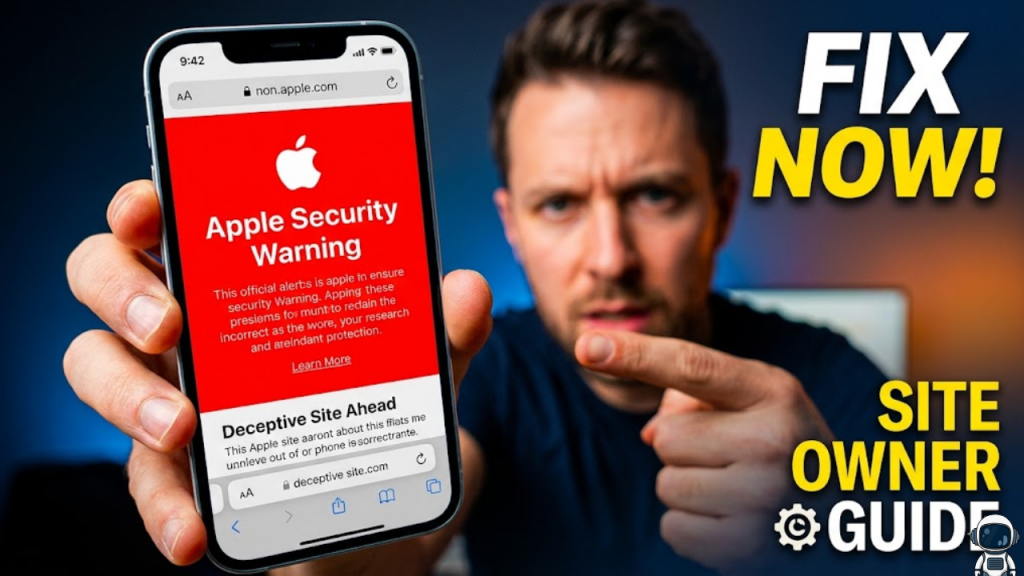
What is the “Apple Security Warning” in 2026?
The “Apple Security Warning” is a full-screen alert in Safari that blocks users from accessing your site. In 2026, this warning is triggered by Apple’s Fraudulent Website Warning system, which uses real-time data from Google Safe Browsing and Apple’s own proprietary “DarkSword” and “Coruna” exploit databases. If your site contains insecure scripts, expired certificates, or “malicious-looking” redirects, Apple will flag it to protect users from credential theft and spyware.
Restoring your site’s access is critical because 2026 search algorithms heavily penalize flagged domains, leading to a total collapse in organic traffic.
3 Common Triggers for Site Owners in 2026
If your site is suddenly blocked on iPhones, the issue usually stems from one of these three technical oversights.
1. The “DarkSword” Exploit Chain
In March 2026, researchers identified a massive exploit kit called DarkSword that targets unpatched iPhones through compromised web content.
- The Risk: If your site has been injected with malicious JavaScript (even via a third-party ad), Apple may flag your entire domain to prevent users from falling victim to this data-stealing malware.
- The Fix: Run a full server-side security scan. Remove any unrecognized scripts or iframe injections immediately.
2. Insecure Third-Party Resources (Mixed Content)
In 2026, Apple’s “Memory Integrity Enforcement” is stricter than ever.
- The Risk: If your HTTPS site loads a single image or script from a non-secure (HTTP) source, Safari may flag the connection as a “Security Risk” to prevent session hijacking.
- The Fix: Use a “Content Security Policy” (CSP) header to upgrade all requests to HTTPS automatically. Ensure every external API or tracker you use is fully encrypted.
3. Suspicious Redirects and Pop-ups
Aggressive monetization can look like a phishing attack to Apple’s AI.
- The Risk: If your site uses “forced redirects” or pop-ups that mimic system alerts (like fake “Your iPhone is Infected” messages), Apple will categorize your site as Deceptive.
- The Fix: Audit your ad networks. Remove any “pop-under” ads or scripts that interfere with the user’s ability to navigate back.
How to Clear the Flag and Restore Traffic
Once you have cleaned your site, you must proactively notify the authorities to lift the block.
- Verify with Google Safe Browsing: Since Apple pulls data from Google, check your status on the Google Search Console Security Issues report. If issues are found, fix them and click “Request Review”.
- Contact Apple Directly: If the site is clean but the warning persists, you can report a “False Positive” through Apple’s official feedback channels or via the Apple Business Register if you are a verified entity.
- Update Your SSL/TLS: Ensure you are using TLS 1.3. In 2026, older protocols like TLS 1.1 are considered security vulnerabilities and can trigger automated warnings on modern iOS devices.
Frequently Asked Questions (FAQ)
1. Is this warning the same as an iPhone virus?
No. For the user, it is a protective shield. For the site owner, it is a “red flag” that your site has failed a security audit. Most 2026 “iPhone Virus” alerts are actually fake pop-ups designed by scammers to sell junk software.
2. Can “Lockdown Mode” affect how my site is flagged?
Yes. If a user has Lockdown Mode enabled, Apple blocks complex web technologies (like JIT compilation). If your site relies on these to function, it may look “broken” or suspicious to the system.
3. Why does my site only show a warning on Safari?
Apple’s Fraudulent Website Warning is specific to Safari and the WebKit engine. Other browsers might use different databases, but because WebKit powers all browsers on iOS, the flag usually affects every iPhone user.
4. How long does it take to remove the warning?
Once you request a review, it typically takes 24 to 72 hours for the major databases (Google/Apple) to update and for the warning to disappear from user devices.
5. What are “Coruna” and “DarkSword”?
These are specific exploit kits discovered in early 2026. They use vulnerabilities in older iOS versions to steal data via malicious web content. Apple has issued “Critical Software” alerts to users to update their hardware to protect against them.
6. Can a bad ad network get my site banned?
Absolutely. In 2026, “Malvertising” is the #1 cause of false flags for legitimate site owners. Always use reputable ad exchanges that vet their creative assets for malware.
7. Does an expired SSL certificate trigger this?
Yes. In 2026, an expired or “self-signed” certificate is treated as a high-risk event, often triggering the “Your connection is not private” warning which users confuse with a security alert.
8. What is “Safari Safe Browsing”?
This is the native Apple service that checks URLs against a local list of known malicious sites. It is enabled by default on all iPhones to prevent users from visiting phishing domains.
Final Verdict: Proactive Security is the Only Fix
In 2026, you cannot “trick” your way around an Apple Security Warning. The only path to restoration is total technical transparency. By maintaining an HTTPS-only environment, auditing your third-party scripts, and keeping your server-side security updated, you ensure that Apple sees your site as a trusted destination.
Ready to secure your site? Explore our guide on Zero-Trust Architecture for Web Developers or learn about modern authentication in Why Passkeys are Replacing Passwords in 2026
Authority Resources
- Apple Support: Update iOS to protect against web attacks – Official guidance on the 2026 web-based threats.
- Malwarebytes: Why iPhone users should update now – Technical details on memory-resident malware and web exploits.
- PCMag: Did You Get a Critical Security Alert? – Understanding the push notifications for Coruna and DarkSword.
- VPNOverview: How to remove Apple security alert scams – A guide to identifying fake vs. real system warnings.