
What causes Layout Shift in 2026?
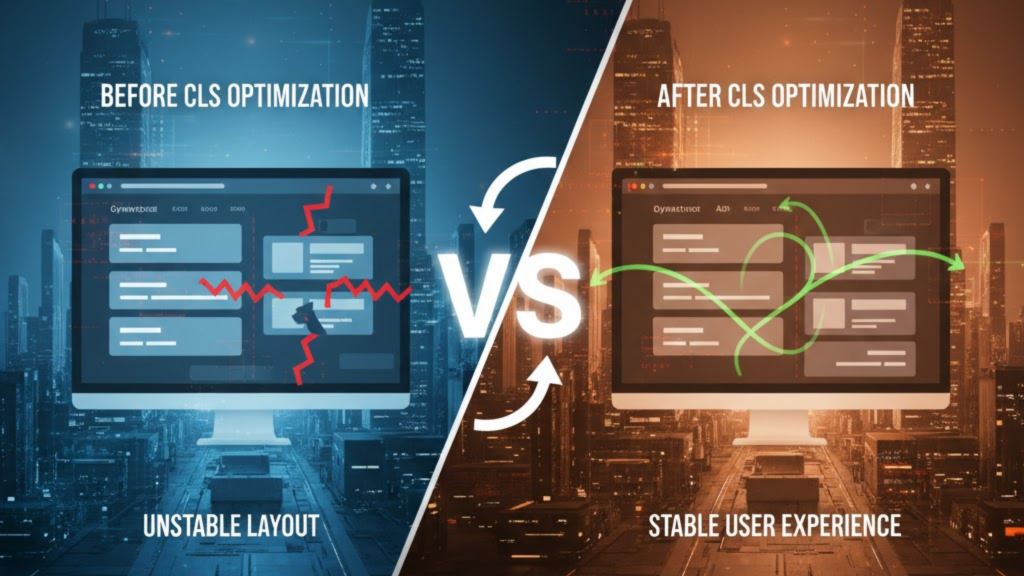
Cumulative Layout Shift (CLS) occurs when visible elements change position between two rendered frames. In 2026, the primary culprits are asynchronous dynamic ads and late-loading popups that inject themselves into the DOM without warning. To maintain a “Good” CLS score, your total shift score must be 0.1 or lower.
If your ads “push” your articles down as they load, you aren’t just frustrating readers; rather, you are actively signaling to search engines that your site provides a poor user experience.
3 Proven Strategies to Fix Ad-Related Shifts
In 2026, the “Golden Rule” for visual stability is: Data can be asynchronous, but layout must be intentional.
1. Reserve the Largest Expected Space
The most effective way to eliminate ad-driven CLS is to wrap your ad code in a <div> with a fixed height and width or a min-height property.
- The Strategy: Check your ad provider (like Google Ad Manager) for the common sizes you serve (e.g., 300×250). Set your container to that exact size.
- The Code:
<div class="ad-slot" style="min-height: 250px; min-width: 300px;"></div> - Why it works: The browser reserves that 250px block immediately. When the ad finally fetches, it fills the “hole” without moving any text.
2. Use Aspect-Ratio Containers
If you use responsive ads that change size based on the screen, use the CSS aspect-ratio property. This ensures the browser can calculate the necessary space even before the ad content arrives.
- Example:
.ad-container { aspect-ratio: 16 / 9; width: 100%; }
3. Avoid “Collapsing” Empty Slots
Sometimes an ad fails to fill. If your container collapses from 250px to 0px, it causes a layout shift “upwards.” In 2026, best practice is to keep the space reserved or show a branded placeholder/fallback image so the layout remains stable regardless of fill rate.
Handling Popups, Banners, and Overlays
Popups are notorious for CLS, but they are often necessary for your $20/day conversion goals (email signups). Follow these 2026 rules for stable overlays:
- Overlay, Don’t Push: Always use CSS Fixed Positioning (
position: fixed) or absolute positioning for popups. This places them “on top” of the content (an overlay) rather than “inside” the flow, meaning they won’t push the existing text down. - Trigger Below the Fold: If you use a slide-in banner, trigger it only after the user has scrolled significantly. This ensures the shift happens outside the current viewport, which Google’s CLS algorithm generally ignores.
- Transform, Don’t Animate Height: If you must animate an element, only use the
transformandopacityproperties. Animatingheight,margin, ortoptriggers a “Layout” calculation that spikes your CLS score.
Frequently Asked Questions (FAQ)
1. What is a “Good” CLS score in 2026?
A CLS score of 0.1 or less is considered good. Anything above 0.25 is considered poor and will likely lead to a ranking penalty in 2026.
2. Does CLS affect mobile and desktop differently?
Yes. Because mobile screens are smaller, a 100px shift covers a much larger percentage of the viewport than on a desktop. Consequently, mobile CLS scores are often harder to optimize but more important for SEO.
3. Can I use skeleton screens to fix CLS?
Yes. Skeleton screens are perfect for dynamic content. By showing a “ghost” version of the content with fixed dimensions, you reserve the space and set user expectations.
4. Why do I see an Apple Security Warning on my ad slots?
If your ad provider uses non-secure (HTTP) tracking pixels or attempts to “fingerprint” the user through a non-standard bridge, you may trigger an Apple Security Warning on your iPhone.
5. Does lazy-loading ads help with CLS?
Lazy-loading helps with Largest Contentful Paint (LCP), but it can hurt CLS if you don’t reserve space. If an ad lazy-loads as the user scrolls, it will “pop” into view and shift the text they are currently reading.
6. How do I find which element is shifting?
Open Chrome DevTools, go to the Performance tab, and check the “Experience” section. It will highlight the exact “culprit” element in blue so you can fix its dimensions.
7. Should I specify dimensions in HTML or CSS?
Both are valid, but setting them in CSS using min-height is often more flexible for responsive 2026 designs.
8. What is a “Session Window” for CLS?
In 2026, Google groups layout shifts into “Session Windows.” A window starts with a shift and ends after 1 second of stability. Your final score is the largest single window of shifts, not a total of every shift on the page.
Final Verdict: Reserve the Space or Pay the Price
To summarize: The most successful developers in 2026 treat their layout as a rigid grid. By reserving fixed space for every ad and using overlays for every popup, you ensure your site feels premium and performs flawlessly on Core Web Vitals.
Ready to stabilize your site? Explore our guide on Critical CSS for Instant Loading or learn how to optimize your metrics further in Interaction to Next Paint (INP): The New Core Web Vital.
Authority Resources
- web.dev: Optimize Cumulative Layout Shift – Google’s definitive guide on fixing shifts.
- SiteGround: CLS – Boost Performance and UX – Practical tips for inlining and sizing resources.
- Medium: CLS – The Most Misunderstood Web Vital 2026 – Deep dive into session windows and React-specific shifts.
- Aditude: What is Cumulative Layout Shift? – Specific strategies for ad-heavy publishers.





