
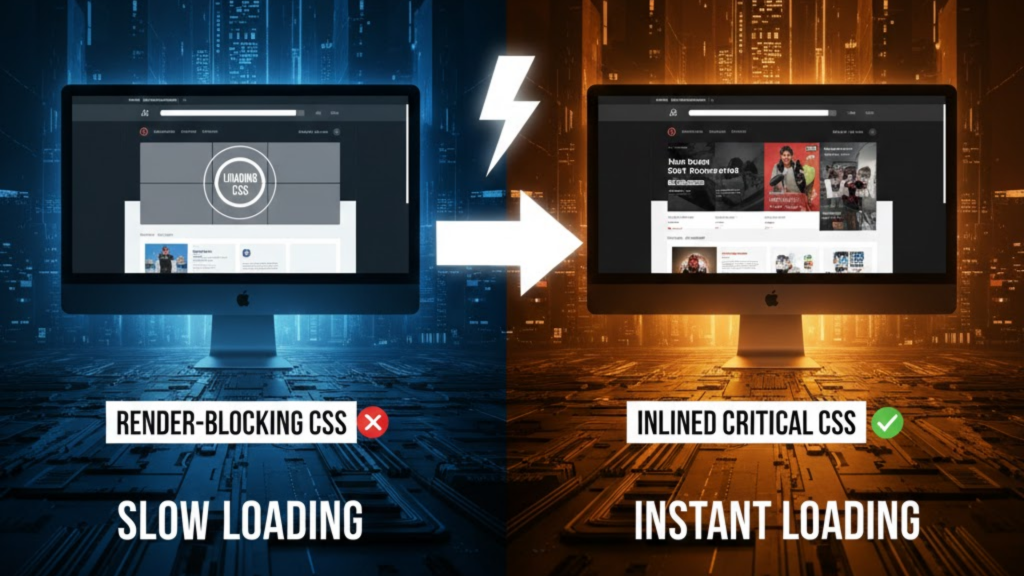
What is Critical CSS?
Critical CSS is the minimum amount of CSS required to render the part of your website that is visible when a page first loads (the “above-the-fold” content). In 2026, browsers are stricter about render-blocking resources. By extracting these essential styles and placing them directly inside a <style> tag in your HTML <head>, you allow the browser to paint the UI the millisecond the HTML arrives, even before your main stylesheet finishes downloading.
Inlining critical styles effectively eliminates the “white screen of death” for your users, providing a perceived load time that feels instantaneous.
The Performance Impact on Core Web Vitals
In 2026, the transition to Interaction to Next Paint (INP) means that every millisecond of thread-blocking matters. Critical CSS specifically targets your Largest Contentful Paint (LCP) by ensuring the main visual element is styled immediately.
| Metric | Traditional External CSS | Inlined Critical CSS (2026) |
| First Contentful Paint | ~800ms – 1.5s | <200ms |
| LCP (Above-the-fold) | 2.5s – 4.0s | 1.2s – 1.8s |
| Network Requests | 1 (blocking) | 0 (embedded in HTML) |
| Render Blocking | Yes (until file load) | No |
| User Experience | Flash of Unstyled Content | Polished & Instant |
How to Implement Critical CSS in 3 Steps
You should never manually maintain Critical CSS in 2026; it is too complex for human management. Instead, use an automated pipeline.
1. Extract Above-the-Fold Styles
Use a tool like Penthouse or Critical to analyze your site at various viewport sizes (mobile, tablet, desktop). These tools identify exactly which CSS selectors are used in the initial view and ignore the rest (like footer styles or sidebar widgets).
2. Inline into the <head>
Place the extracted CSS inside a <style> block in your HTML.
Warning: Do not over-inline. If your HTML file exceeds 14KB, it may require an extra network round trip, negating the performance benefits.
3. Defer the Rest Asynchronously
Load your full stylesheet with a “non-blocking” pattern. In 2026, the standard is using a media query trick:
HTML
<link rel="stylesheet" href="full-styles.css" media="print" onload="this.media='all'">
This tells the browser: “Download this in the background (as if it’s for printing), then apply it to the screen once it’s ready”.
Frequently Asked Questions (FAQ)
1. Does inlining CSS hurt caching?
Yes, slightly. Since the CSS is inside the HTML, it isn’t “saved” in the browser’s cache like a separate .css file. However, for first-time visitors (the most important for SEO), the speed gain of skipping a network request far outweighs the minor caching loss.
2. Is this compatible with Next.js 16?
Absolutely. Next.js 16 and frameworks like Astro have built-in support for automatic critical CSS extraction during the build process, ensuring your static pages are always optimized.
3. Will this fix “Cumulative Layout Shift” (CLS)?
Yes. By inlining the styles that define the height and width of your header and hero sections, you prevent the page from “jumping” when the full stylesheet finally loads.
4. Why do I see an Apple Security Warning during optimization?
If your automation scripts attempt to “scrape” your site via an insecure local network to generate the CSS, you may trigger an Apple Security Warning on your iPhone.
5. Can I use Critical CSS with Tailwind?
Tailwind is already highly optimized, but for massive production apps, inlining the “base” and “utilities” used above-the-fold still provides a measurable LCP boost.
6. Do I need to generate CSS for every page?
Ideally, yes. Your “Contact Us” page has different critical styles than your “Homepage.” Modern CI/CD pipelines automate this per-route.
7. What happens if JavaScript is disabled?
If you use the “media trick” mentioned above, always include a <noscript> fallback so users without JS still receive your full stylesheet.
8. What is the “14KB Rule”?
TCP (the protocol for data transfer) sends data in packets of roughly 14KB. Keeping your critical HTML + CSS under this limit ensures your site renders in the very first “burst” of data.
Final Verdict: Prioritize the Viewport
In 2026, users expect sites to be interactive in under two seconds. Inlining Critical CSS is the most effective way to reach that goal. By delivering the “visual shell” of your site immediately, you keep users engaged and improve your search rankings.
Ready to optimize? Explore our guide on Islands Architecture and Astro to see how frameworks handle style isolation, or discover the Top Dev Skills Needed to Shine in 2026.
Authority Resources
- DebugBear: Inlining Critical CSS Performance Guide – Real-world waterfall analysis and impact data.
- web.dev: Defer Non-Critical CSS – Google’s official stance on improving the critical rendering path.
- GitHub: Critical Path CSS Tools – A curated list of the best automation tools by Addy Osmani.
- CoreWebVitals.io: The Ultimate 2026 Checklist – How to align your styles with modern ranking metrics.





