
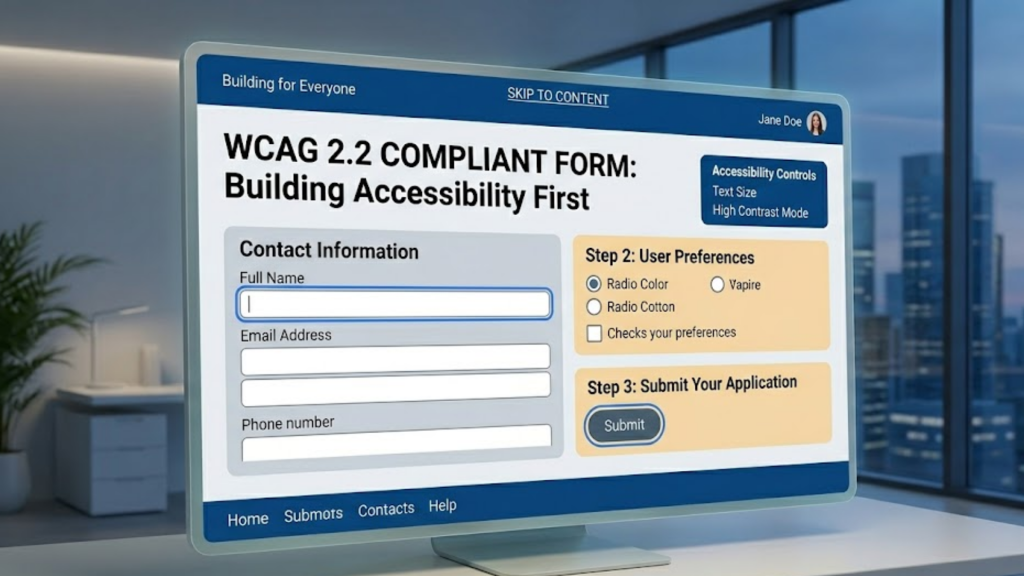
What is the WCAG 2.2 standard for forms?
WCAG 2.2 is the 2026 benchmark for web accessibility. While previous versions focused on screen readers, WCAG 2.2 adds critical protections for users with cognitive disabilities, low vision, and motor impairments. For forms, this means moving beyond simple labels and focusing on Redundant Entry prevention, Accessible Authentication, and Minimum Target Sizes to ensure every user can complete a transaction without frustration.
Compliance in 2026 is no longer a “nice to have”; it is a legal requirement for any business operating in the global digital economy.
3 New WCAG 2.2 Rules for 2026 Forms
The 2026 update introduces specific success criteria that fundamentally change how we build input fields.
1. No More Redundant Entry (Success Criterion 3.3.7)
Users should never have to type the same information twice in the same session.
- The Strategy: If a user enters their “Shipping Address,” you must provide a way to auto-populate the “Billing Address” (e.g., a “Same as shipping” checkbox). This reduces cognitive load and physical effort for users with motor disabilities.
2. Accessible Authentication (Success Criterion 3.3.8)
Stop using “Cognitive Function Tests” for logging in.
- The Strategy: Avoid CAPTCHAs that require solving math problems or identifying specific objects (like “click the traffic lights”). Instead, support WebAuthn (biometrics), magic links, or ensure that password managers can successfully autofill every field.
3. Minimum Target Size (Success Criterion 2.5.8)
In 2026, the “fat finger” problem is a compliance issue.
- The Strategy: Every interactive element, including checkboxes, radio buttons, and close icons, must have a minimum target size of 24×24 CSS pixels. If the icon itself is smaller, you must provide enough white space (padding) around it to prevent accidental clicks.
The Anatomy of a Compliant Input Field
To meet WCAG 2.2 Level AA, every form field in your 2026 project should follow this structure:
- Persistent Labels: Never use “Placeholder Text” as a label. Placeholders disappear when the user starts typing, which is a major barrier for users with memory impairments. Use a
<label>tag that remains visible at all times. - Programmatic Association: Use the
forandidattributes to link labels to their inputs. This ensures screen readers announce the correct field name when it receives focus. - Non-Visual Error Cues: If a field has an error, don’t just turn the border red. Add a text description (e.g., “Error: Password must be 8 characters”) and link it to the input using
aria-describedby.
Frequently Asked Questions (FAQ)
1. Is WCAG 2.2 the law in 2026?
In many regions, yes. The European Accessibility Act (EAA), which took full effect in mid 2025, references WCAG 2.2 as the standard for e-commerce and banking. In the US, many courts now use 2.2 as the “Gold Standard” for ADA compliance.
2. Can I use “Submit” as my only button text?
Technically yes, but “Create Account” or “Send Message” is better. Descriptive button text helps users understand exactly what will happen when they click.
3. How do I handle multi-step forms?
Provide a Progress Indicator and ensure the user can navigate back to previous steps without losing their data. Remember the “Redundant Entry” rule: don’t ask for the same data twice in steps 1 and 4.
4. Why do I see an Apple Security Warning on my form?
If your form collects sensitive data (like credit cards or passwords) over a non-secure connection or uses unverified third-party tracking scripts, you may trigger an Apple Security Warning on your iPhone.
5. What is “Focus Appearance” in 2026?
WCAG 2.2 (at the AAA level) and 2.1 (at AA) require a high-contrast focus indicator. In 2026, the standard is a 2px solid outline with a 3:1 contrast ratio against the background.
6. Do I need to support “Dark Mode” for accessibility?
While not a strict WCAG requirement yet, offering a high-contrast dark mode is considered a 2026 “Best Practice” for users with light sensitivity.
7. What is “Findable Help”?
Success Criterion 3.2.6 requires that if you offer help (like a chat bot or FAQ link), it must be in the same relative location on every page of your site so users can find it easily.
8. How do I test for WCAG 2.2?
Use automated tools like Axe DevTools or Lighthouse, but always perform Manual Testing with a keyboard (Tab key) and a screen reader (VoiceOver/NVDA) to ensure the logical flow is correct.
Final Verdict: Accessibility is Good Business
In 2026, building WCAG 2.2 compliant forms is the best way to avoid legal risk and capture the 15% of the global population with disabilities. By designing for the “edge cases,” you create a smoother, faster, and more profitable experience for everyone.
Ready to audit your site? Explore our guide on Optimizing for Voice Search: FAQ Schema or learn how to speed up your forms in Interaction to Next Paint (INP): The New Core Web Vital.
Authority Resources
- WCAG.com: WCAG 2.2 AA Summary and Checklist – A simplified breakdown of the 9 new criteria.
- DigitalA11Y: Simplified Guide to WCAG 2.2 – A technical roadmap for implementation and testing.
- Level Access: Complete 2026 Compliance Guide – Deep dive into international laws and organizational commitments.
- W3C: Understanding Redundant Entry (3.3.7) – The official standard for reducing cognitive effort in forms.





