
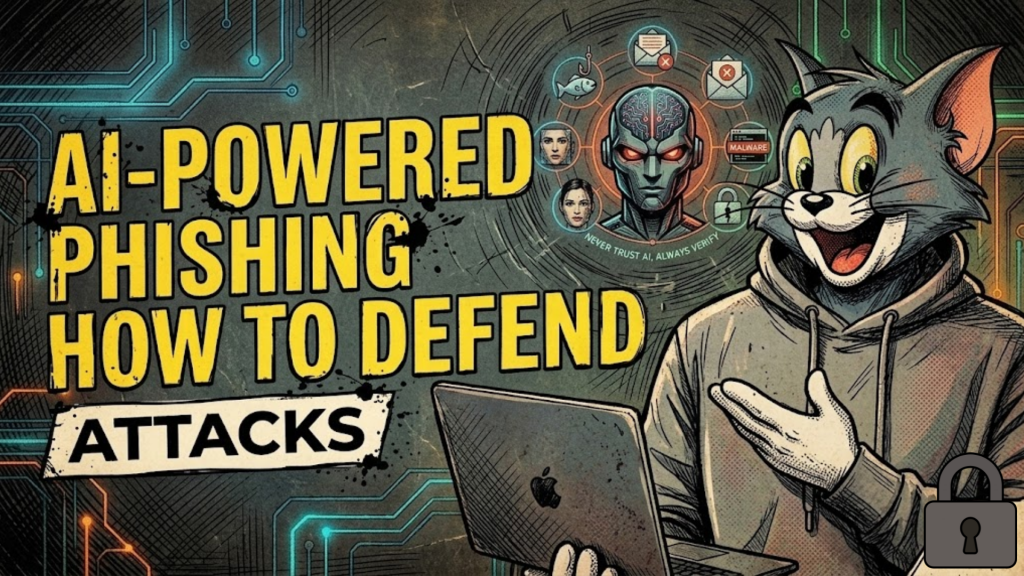
What is AI-powered phishing in 2026?
AI-powered phishing (or “Generative Phishing”) uses Large Language Models (LLMs) and synthetic media to create hyper-personalized, error-free deceptions. Unlike the “clumsy” emails of the past, 2026 attacks feature perfect grammar, context-aware references to real company projects, and even voice or video clones of executives. In 2026, the “spray and pray” method is dead; attackers now use AI agents to automate reconnaissance, scraping social media and leaked data to build “Synthetic Identities” that are indistinguishable from real colleagues.
Defense in 2026 is no longer about “spotting the typo”, it is about verifying the intent through technical guardrails.
3 Technical Pillars of AI Phishing Defense
To stay secure in 2026, you must move beyond traditional email filters and adopt an “Identity-Centric” security posture.
1. Deploy Phishing-Resistant MFA (FIDO2/WebAuthn)
Standard MFA (SMS codes and Push notifications) is now easily bypassed by AI-driven “Adversary-in-the-Middle” (AiTM) kits that intercept session tokens in real-time.
- The 2026 Standard: Use Passkeys or physical hardware keys (like YubiKeys) based on the FIDO2/WebAuthn standard. These are cryptographically tied to the specific domain of your application, making it impossible for an AI-generated fake site to steal and reuse your credentials.
2. Implement LLM-Native Behavioral Analysis
Traditional spam filters look for “known bad” links or keywords. AI-powered phishing doesn’t use them; it uses “clean” links and persuasive language.
- The Strategy: Switch to LLM-native email engines. These tools parse incoming messages like a human would, looking for Behavioral Anomalies. If an “urgent” request from the CEO deviates from their typical phrasing, timing, or project context, the AI flags it—even if the email contains no malicious code.
3. Move to Zero-Trust “Just-in-Time” Access
In 2026, we assume credentials will eventually be compromised.
- The Strategy: Eliminate “Standing Admin Rights.” Use a Just-in-Time (JIT) model where developers and admins must request time-bound elevation for sensitive tasks. If an AI-bot logs into a compromised account, it finds zero privileges by default, drastically reducing the “Blast Radius” of the attack.
Defending Against Deepfake Voice and Video
“Vishing” (voice phishing) using AI voice clones is a primary corporate threat in 2026. Attackers can clone a CFO’s voice from just 30 seconds of public audio.
- Challenge-Response Keywords: Establish internal “safe words” or validation methods for sensitive verbal requests (like wire transfers). If a “manager” calls with an emergency, ask for the pre-arranged validation.
- Artifact Detection: 2026 security tools can now detect “synthetic artifacts”, micro-frequencies in audio that the human ear cannot hear but indicate an AI-generated voice.
- In-App Communication: Train your team to treat the authenticated dashboard as the only source of truth. If an email or call requests a high-value action, it must be verified via a secure, in-app notification center.
Frequently Asked Questions (FAQ)
1. Is annual phishing training still effective?
No. Generic training is useless against 2026 threats. You need Continuous, Adaptive Simulations that use AI to generate realistic lures based on the specific threats your industry is facing today.
2. What is “Token Theft” and why is it dangerous?
Instead of stealing your password, AI-malware steals your Active Session Token (the “cookie” that says you’re logged in). This allows attackers to bypass MFA entirely and “log in” as you without ever needing your credentials.
3. Can I use AI to defend against AI?
Yes. In 2026, “Autonomous Defense” is the only way to match the speed of attackers. AI security agents now triage threats and isolate compromised accounts in milliseconds—long before a human analyst could even see the alert.
4. Why do I see an Apple Security Warning on my phishing tests?
If your phishing simulation tool uses non-standard tracking pixels or attempts to “fingerprint” your device to track clicks, it may trigger an Apple Security Warning on your iPhone.
5. What is “Qrishing”?
It is phishing via QR codes. Attackers replace legitimate office QR codes (like those for room bookings) with malicious ones that lead to fake login pages. Since QR codes bypass traditional email link scanners, they are a top 2026 vector.
6. Do I need to worry about “Shadow AI”?
Yes. Employees using unapproved AI tools may accidentally leak sensitive company data (data poisoning). You must have clear policies on which LLMs are approved for professional use.
7. How does Zero-Trust help with phishing?
Zero-Trust assumes the user is a phisher until proven otherwise. It continuously verifies identity, device health, and location throughout the entire session, not just at the start.
8. What is the most important skill for a security team in 2026?
Security professionals are moving from “Troubleshooters” to “AI Orchestrators.” The most valuable skill is the ability to audit, manage, and interpret the logic of the AI tools defending your network.
Final Verdict: Verification Over Intuition
In 2026, you cannot trust what you see or hear. AI-powered phishing is a crisis of trust. By implementing phishing-resistant MFA, behavioral AI filters, and Zero-Trust protocols, you build a technical “moat” that protects your business from the automated speed of modern adversaries.
Ready to harden your defenses? Explore our guide on Zero-Trust Architecture for Web Developers or learn how to protect your identity in The Developer’s Guide to AI Security.
Authority Resources
- ZDNET: 6 Essential Strategies to Defend Against AI Threats – Actionable advice on passkeys and agent management.
- Mimecast: Cybersecurity Predictions 2026 – Understanding the “Olympic-level” scale of AI-driven cyber battles.
- Cloudflare: 2026 Threat Report – Detailed data on the rise of AI automation in high-velocity attacker operations.
- NIST: Zero Trust Architecture (SP 800-207) – The fundamental blueprint for identity-centric security in 2026.





