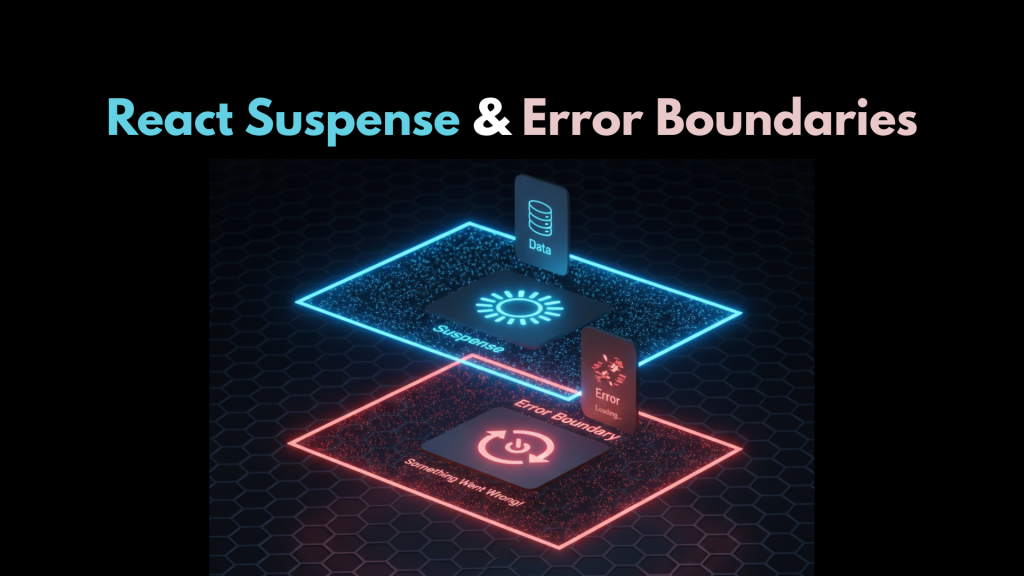
If you are still managing loading and error states with manual “if” statements, you are working too hard. In 2026, React Suspense and Error Boundaries: A Modern Guide is the industry standard for creating “bulletproof” user interfaces. These two features work together like a safety net: while Suspense handles the “wait,” Error Boundaries catch the “break.”
At WeBlogTrips, we prioritize a seamless user experience. Consequently, we created this guide to explain React Suspense and Error Boundaries: A Modern Guide so you can keep your app running even when things go wrong.
The Guard Duo: React Suspense and Error Boundaries
| Component | Responsibility | Triggers When… | Displays… |
| Suspense | Handles “Loading” | A promise is thrown | A fallback (Skeleton/Spinner) |
| Error Boundary | Handles “Crashes” | A JS error occurs | A recovery UI (Retry button) |
1. Using React Suspense for “Loading” States
The first part of React Suspense and Error Boundaries: A Modern Guide involves handling asynchronous work. React Suspense allows you to declaratively wait for code or data before rendering a component.
Instead of writing if (isLoading) return <Spinner />, you simply wrap your component in a <Suspense> boundary. React handles the “suspension” automatically. This results in a much cleaner component structure and better performance, as React can stream the content to the user as soon as it’s ready.
2. Using Error Boundaries for “Crash” Protection
The second pillar of React Suspense and Error Boundaries: A Modern Guide is failure management. Error Boundaries are special components that catch JavaScript errors anywhere in their child component tree.
Think of them like circuit breakers in your house. If a single component (like a broken weather widget) crashes, the Error Boundary “trips” and shows a polite fallback message instead of letting the entire page go blank. This isolation is critical for keeping your users engaged even during a partial system failure.
3. Pairing Them Together for 2026 UX
The true power of React Suspense and Error Boundaries: A Modern Guide comes from nesting them. By wrapping a <Suspense> boundary inside an <ErrorBoundary>, you cover every possible outcome.
- Scenario A: Everything works → User sees the content.
- Scenario B: Data is loading → User sees the Suspense fallback (Skeleton UI).
- Scenario C: API fails → User sees the Error Boundary fallback (Retry button).
Frequently Asked Questions (FAQ)
1. Can I use a functional component for an Error Boundary?
In 2026, the core Error Boundary must still be a Class Component (or use the react-error-boundary library) because it requires specific lifecycle methods like componentDidCatch. However, you can use hooks like useErrorBoundary to trigger them from your functional components.
2. Is Suspense only for lazy-loaded components?
No. While it started with React.lazy, it is now the standard for data fetching in 2026, especially when used with libraries like TanStack Query or the new React 19 use() hook.
3. Why does my error fallback trigger an Apple Security Warning?
If your Error Boundary attempts to log sensitive error details to an insecure http analytics server, you might trigger an Apple Security Warning on your iPhone. Always ensure your error reporting services use encrypted HTTPS connections.
Final Verdict: React Suspense and Error Boundaries
To recap React Suspense and Error Boundaries: A Modern Guide:
- Use Suspense to handle the “not ready yet” states.
- Use Error Boundaries to isolate “something broke” states.
- Nest them to create the most resilient UI possible.
By mastering these boundaries, you transform a fragile app into a professional, robust platform that users can trust.
More From Weblogtrips
- React Query vs useEffect for Data Fetching: How modern data libraries integrate with Suspense.
- What Is Server-Side Rendering and Why It Matters: A deep dive into Next.js’s core strength.
- Why JavaScript Is Single-Threaded: How the main thread handles the Garbage Collector.
- React 18 useEffect: Why It Runs Twice: Why cleanup functions are the key to memory safety.
- Promise vs async/await: What Actually Happens?: How orders move through the kitchen.
- JavaScript Closures Explained Like You’re 5: How memory is preserved during async suspension.
- Why Your Website Is Slow and How to Fix It: How Next.js tackles performance bottlenecks.
- let vs var vs const Explained with Real Examples: Why block scope is the best partner for closures.
- REST API vs GraphQL Explained for Beginners: APIs are where most CORS errors live.
- Best Website Hosting 2026: Find hosts with integrated CDN features.
- HTML vs HTML5: What’s the Real Difference?: The foundation that holds your CSS.
External Links
- React.dev: Catching rendering errors with Error Boundaries: The official technical reference.
- TanStack Query: Suspense Mode: How to use the popular library with Suspense.
- GitHub: react-error-boundary: The most popular library for managing boundaries in functional apps.